TABLE OF CONTENTS
ADMIN PRIVILEGES REQUIRED
Overview
Adding a custom source allows you to use the Stack Internal Ingestion API to ingest free-form content in a variety of different formats. The Ingestion API supplements the pre-built ingestion sources (for example: Stack Internal Community, Slack, etc.), giving your Stack Internal workspace the ability to ingest "everything else".
Add a custom source
To add a custom source, follow the steps below. You'll repeat this process for each custom source you want to add.
-
Click Control Center in the left-hand menu, then Sources.
-
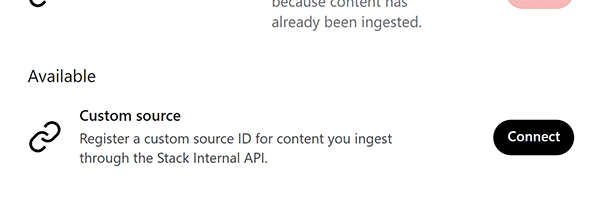
Scroll to the bottom of the source list to find the Custom source under the "Available" heading.
-
Click Connect. The Custom source screen will appear.
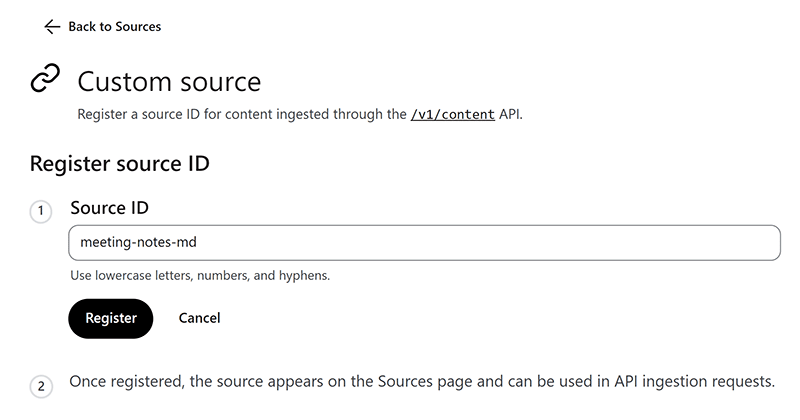
-
Enter a unique and descriptive ID in the Source ID box. Use only lowercase letters, numbers, and hyphens (for example: meeting-notes-md).
-
Click Register.
Stack Internal will return you to the Sources page. There, you should be able to see your new custom source.
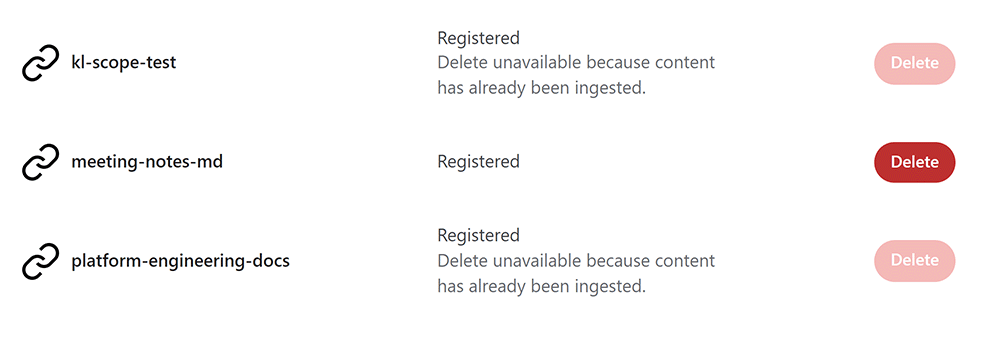
You can now specify the newly registered source ID in Ingestion API calls. Read more about the Ingestion API.
Delete a custom source
To remove a new source, click its Delete button. Once a custom source has ingested content, you'll no longer be able to delete it.
Get help
If you have questions or issues, reach out to our support team for help.