TABLE OF CONTENTS
ADMIN PRIVILEGES REQUIRED
Overview
This quickstart helps you set up your Stack Internal site by connecting your single sign-on (SSO) identity provider (IdP) and at least one content source for ingestion.
Before you begin
To set up your new Stack Internal site, you must have admin access to:
- Stack Internal.
- Your IdP for SSO configuration.
- At least one content source. This could be Stack Internal community, Slack, or Google docs.
Set up SSO
-
Click the gear icon in the new Stack Internal sidebar.
-
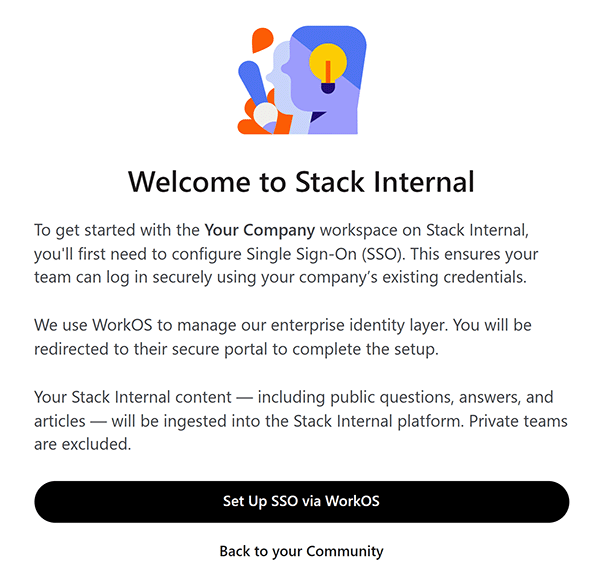
Accept the terms and conditions. The "Welcome to Stack Internal" page will appear.
-
Click Set Up SSO via WorkOS.
-
Find your SSO provider in the list and WorkOS will guide you through the setup process.
- If your provider is not on the list, click Custom SAML.
- You can find instructions for most providers on the WorkOS integrations help site. If you need help with SSO setup, reach out to Stack Internal support.
Set up your Stack Internal community content source
To enable your Stack Internal site, you'll need to connnect at least one content source for ingestion. We recommend starting with your Stack Internal community site, so you'll see the "Connect your Stack Internal community" page next.
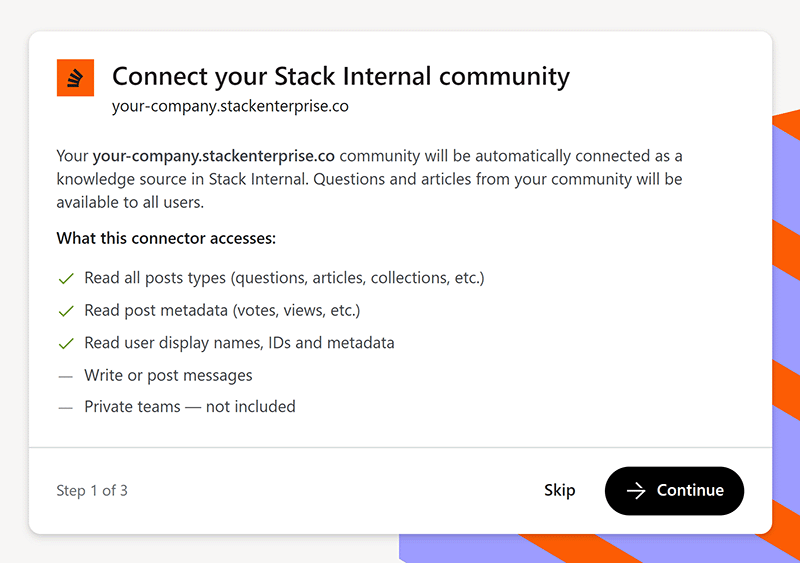
To set up your Stack Internal community source, click Continue and follow the on-screen instructions.
Set up content sources
If you prefer to set up a different source first, click Skip. You'll see the Control Center "Get Started with Stack Internal" page.
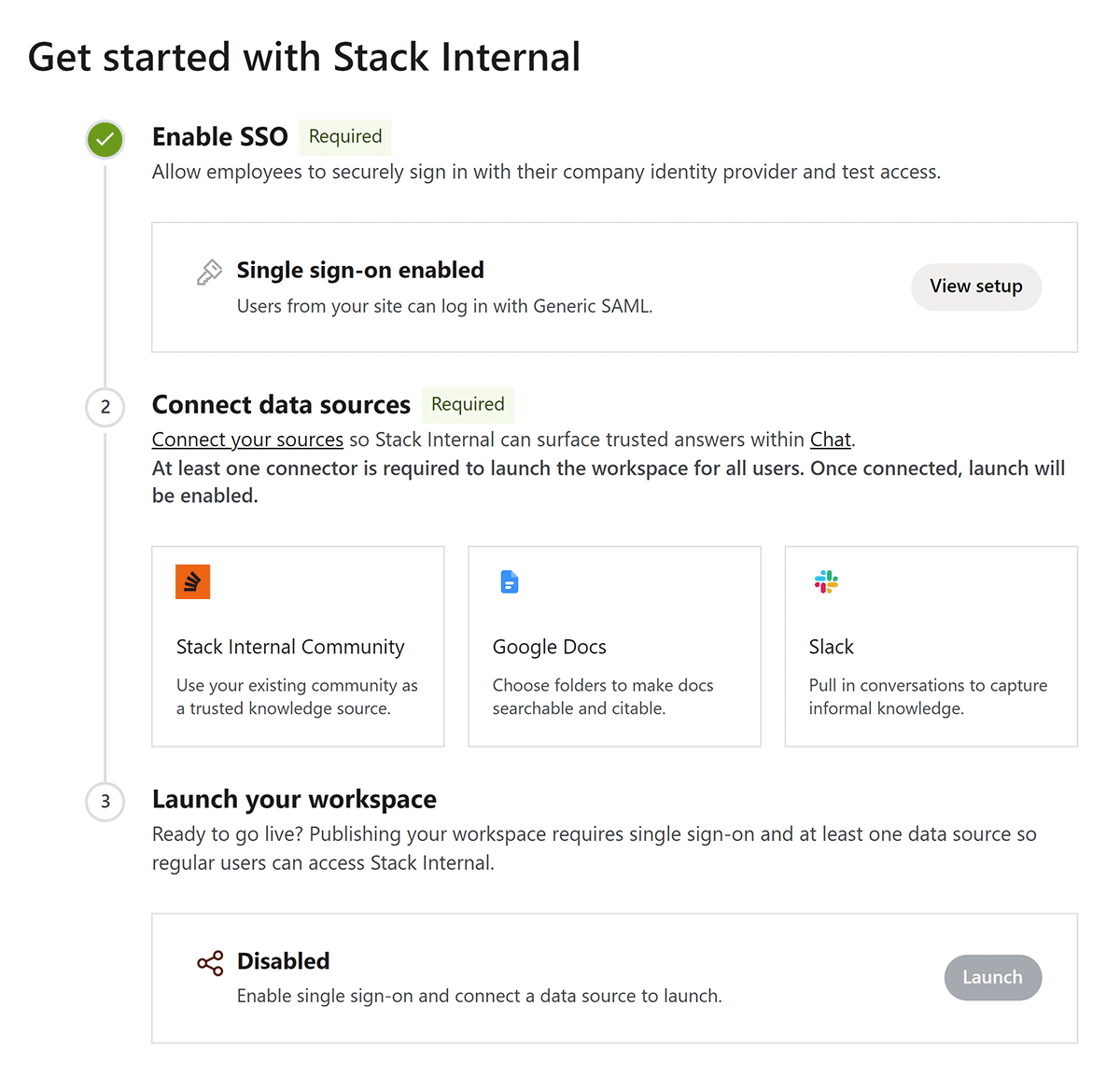
Click Connect your sources to choose the source you want to configure. Follow the instructions below to connect Stack Internal community, Slack, or Google.
Once you've configured SSO and one source, your Stack Internal site is ready for use. Click Launch to make your Stack Internal site available to your users.
Content from a newly connected source may take up to 24 hours to appear on your Stack Internal site.
Next steps
- Find answers by clicking Chat in the left-hand menu.
- Enable the MCP server by clicking Control Center then MCP. Here's how to get started using it.
- Explore the API. Guides are available in our help center.
Get help
If you have questions or issues, reach out to our support team for help.